About Projector: TVCast ScreenMirror
📺 Projector: Screen Mirroring & TV Cast Make more room for your content with a projector app for phone to TV sharing. This mobile projector mirrors photos, videos, apps, games, and presentations on a compatible TV or...
📺 Projector: Screen Mirroring & TV Cast
Make more room for your content with a projector app for phone to TV sharing. This mobile projector mirrors photos, videos, apps, games, and presentations on a compatible TV or wireless display. Use it as a projector for phone entertainment, work, study, and share screen needs. It is a wireless casting app, not a physical video projector.
🎬 Cast, Watch, and Share
Use TV cast to enjoy videos, photos, music, games, and apps on a larger display. With cast to TV, move content from your phone to a bigger screen in a few steps.
· Choose screen cast for movies, games, lessons, or presentations.
· Start a screencast to show an app, document, or slide.
· Follow the cast screen process to begin screen sharing quickly.
· Enjoy HD video playback and HD mirror viewing on supported devices.
📱 Work, Study, and Home
Screen mirroring is useful for meetings, classes, tutorials, photos, workouts, and entertainment. A projectionist can display slides or learning materials. Use phone to TV mirroring when several people need the same content. The screen mirror to TV feature helps explain steps without passing your phone around. This phone projector connects to a supported projector TV setup or display.
✨ Main Features
· Screen mirroring from phone to a compatible TV or display
· TV cast for videos, photos, games, and presentations
· Screen cast and screen casting for flexible sharing
· Cast to TV through a wireless connection
· Phone to TV display for work, study, and entertainment
· HD video and HD mirror support when available
· Projector screen support through receivers
· Mirror cast, mirroring cast, and screen mirror sharing
🔗 How to Connect
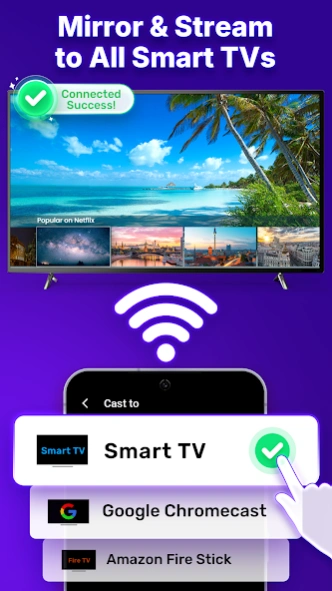
1. Connect your phone and display to the same Wi-Fi network.
2. Open the projector app and allow the needed permissions.
3. Choose an available TV, projector screen, or wireless display.
4. Select screen mirroring, TV cast, or another supported mode.
5. Tap stop when finished.
💡 Helpful Tips
· Keep both devices near the Wi-Fi router.
· Close unnecessary apps during screen casting.
· If no display appears, check the network and restart discovery.
⚠️ Important Information
This app does not turn your phone into a flashlight projector. It cannot create a screen mirror projector on wall or screen mirror projector phone to wall image without external hardware.
Download the projector app to cast to TV, share screen content, and enjoy screen mirroring for work, study, and entertainment.
Previous Versions
Here you can find the changelog of Projector: TVCast ScreenMirror since it was posted on our website on 2023-06-20 11:36:41.
The latest version is 1.11 and it was updated on 2026-10-10 23:40:41. See below the changes in each version.
Projector: TVCast ScreenMirror version 1.11
Updated At: 2026-08-16
Changes: 1. Enhanced the overall projector mirroring experience
2. Improved performance for app startup, the home screen, mirroring, and local file features
3. Updated compatibility for Android 15 and newer system versions
4. Refined service functionality, permission handling, and in-app navigation flows
5. Fixed known issues and improved overall app stability
Projector: TVCast ScreenMirror version 1.10
Updated At: 2025-05-27
Changes: We've updated the app with bug fixes and improvements.
Projector: TVCast ScreenMirror version 1.4
Updated At: 2023-09-08
Disclaimer
Official Google Play Link
We do not host Projector: TVCast ScreenMirror on our servers. We did not scan it for viruses, adware, spyware or other type of malware. This app is hosted by Google and passed their terms and conditions to be listed there. We recommend caution when installing it.
The Google Play link for Projector: TVCast ScreenMirror is provided to you by apps112.com without any warranties, representations or guarantees of any kind, so access it at your own risk.
If you have questions regarding this particular app contact the publisher directly. For questions about the functionalities of apps112.com contact us.